
Installing Authenticx for Salesforce
After purchasing the Authenticx for Salesforce add-on, you can install the managed package from the Salesforce AppExchange.
Install the managed package
To get started, your Salesforce org needs to have Service Cloud Voice (SCV) enabled with Amazon Connect or another telephony provider. This product will provide Authenticx access to the VoiceCall object which is currently a dependency of this integration.
Note: Currently, the integration is only supported with Salesforce Lightning. We do not have any plans to support this integration for Salesforce Classic at this time.
Add the components to the VoiceCall page layout
So that your agents can accept calls, you'll want to add one or more Lighting components from Authenticx onto your page layout for Voice Calls. That way, your agents can get better context into every conversation.
To get started, ensure you have admin rights to make changes to Page Layouts for the Voice Call object.
To add Authenticx components to your page:
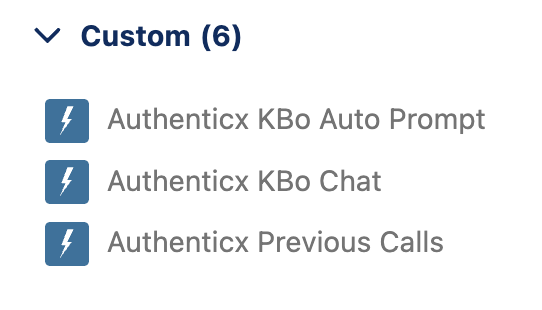
- Head to any VoiceCall page and edit the page layout.
- You will see 3 "Custom" Lightning components are available to install (See screenshot above)
- Drag any of the 3 components onto the page. More information is provided on each component below.
Authenticx KBo Auto Prompt
The Auto Prompt allows you to use a prompt to ask KBo one of many questions to present to your agent as the call is loaded on the screen. You can add as many Auto Prompts to your page layout as you like, and each can have different prompts that provide different insights to the agent about historical conversations with your customers.
You can use a prompt of your own creation ("Describe the reason any of the previous calls had friction on them" or "Briefly describe unresolved issues") or use one of these skills to target the ideal output:
- Unresolved concerns
- Previous topics discussed
- Causes of frustration
- Current state of satisfaction based on previous interactions
- Top emotions
- Next steps from the previous call
- Any prompt about previous interactions
Here's an example of how the response from KBo appears on the screen:
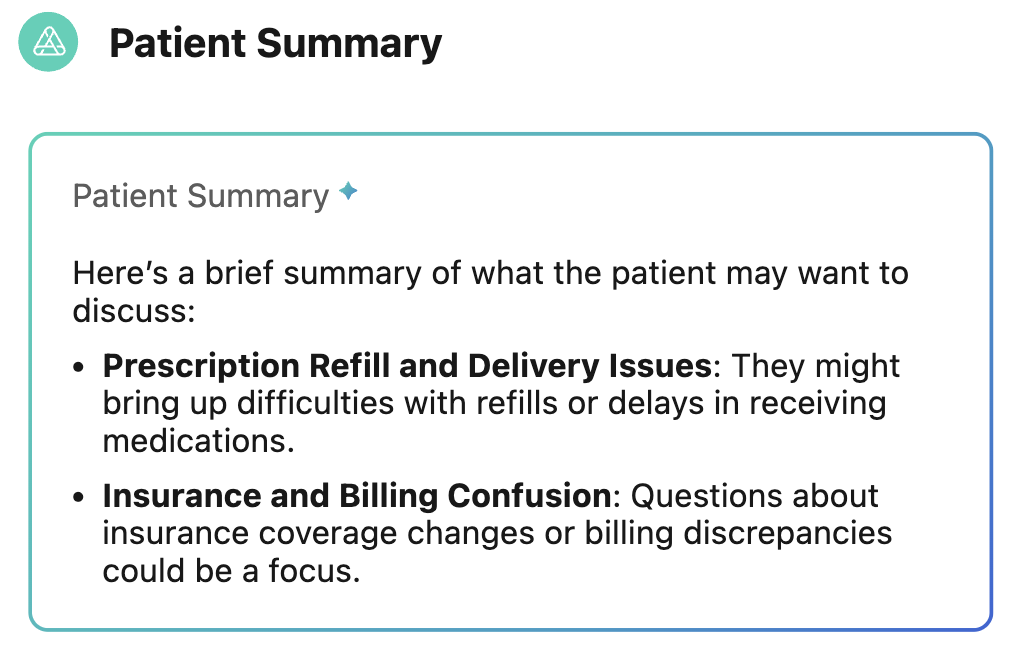
This is based on the following prompt setup on the Page Layout: "Please give me a brief member summary in 1-2 bullets about what the patient may want to talk about."
Authenticx KBo Chat
A KBo chat is a chat component that allows you to ask any question with an open text field to give contact center agents space to have fluid conversations and be more knowledgeable on the context of the history of the customer as they're having the conversation. KBo can answer any of the questions above and has been trained with general knowledge on healthcare.
The KBo chat can have up to 3 "clickable" prompts that allow the agent to quickly and easily ask frequently asked questions and get a response from KBo.
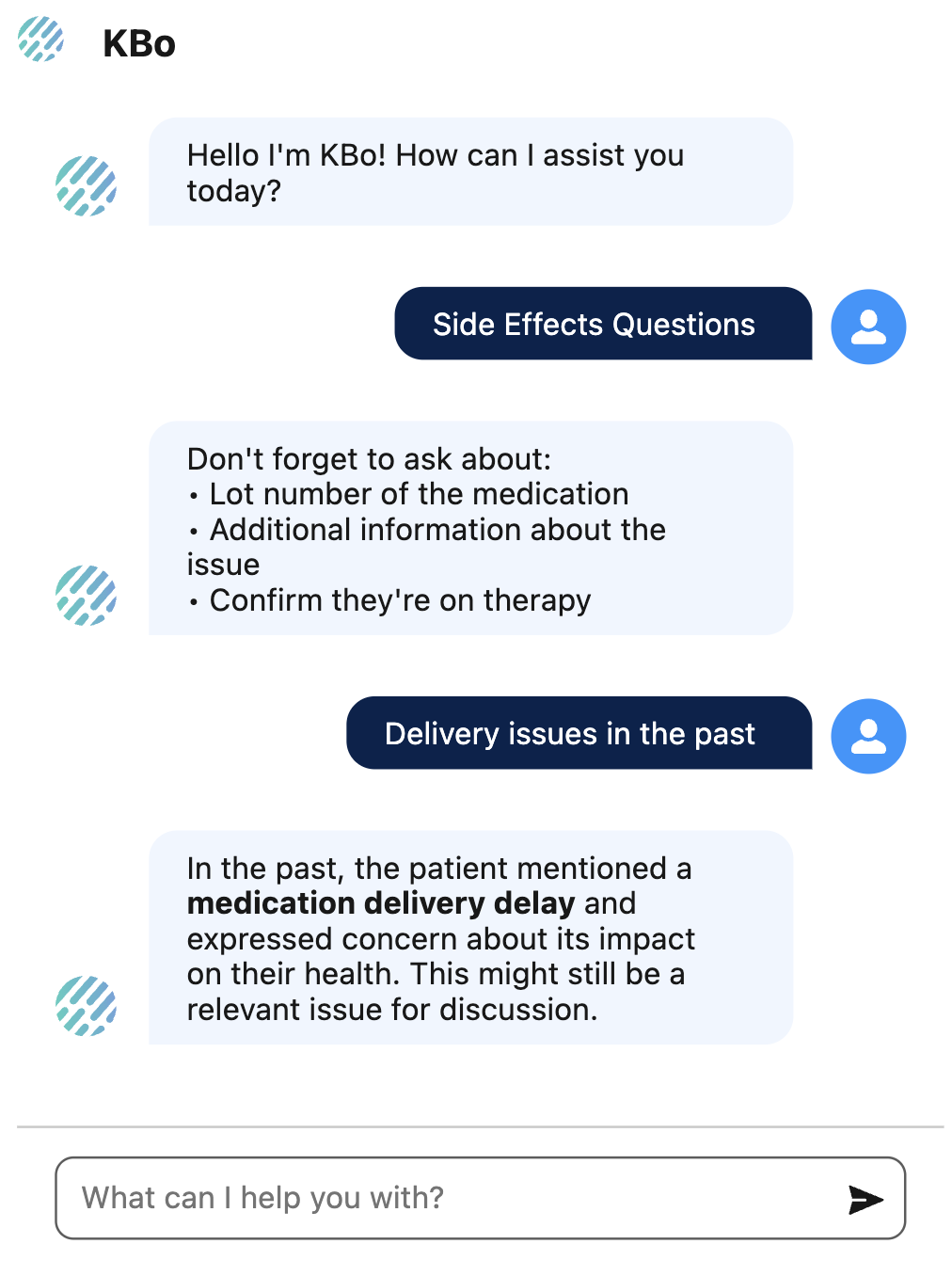
KBo can answer questions on customer conversation history (see above) or general questions based on your company SOPs or docuemntation. Additionally, KBo is trained on healthcare knowledge.
Authenticx Previous Calls
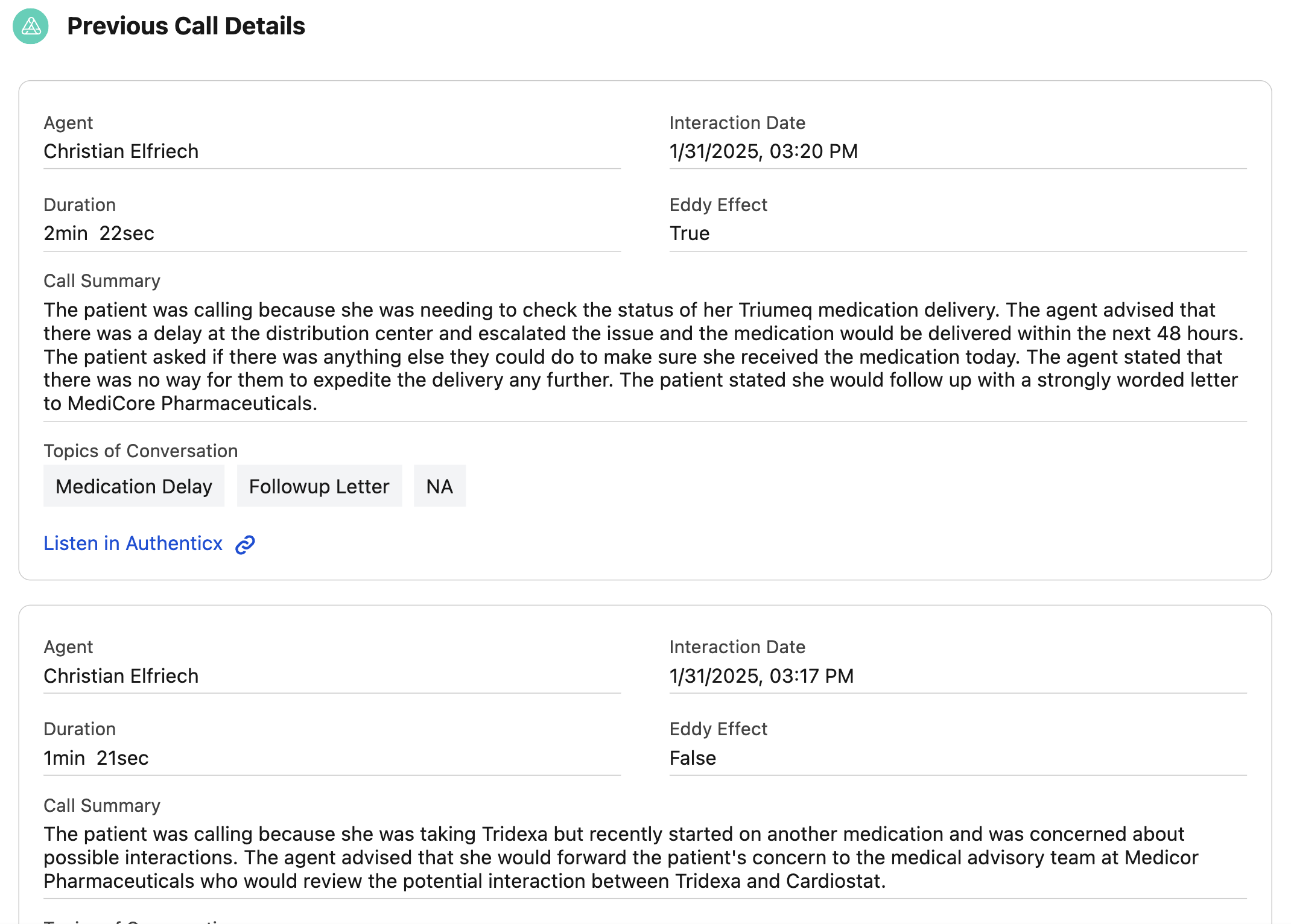
This module is a pre-packaged module that will load the entire conversation history of the customer, including a call summary, call duration, topic of the call, and whether the Eddy Effect was experienced (customer experience was disrupted).
Updated 7 months ago
What’s Next
Once the package is installed and the components are in place on the VoiceCall object page, you can ensure your credentials are set up correctly: